Context365

Company Overview
Context365 is a platform that enables fund managers to reach new sources of investor capital and provides allocators with the ability to discover, analyze, and connect with fund managers across a variety of alternative investment categories.
My Role
As a UX Engineer on an agile team I contributed to both the design and development of the Context365 platform. I took ownership of the design system and utilized a synchronization library to build the components in our codebase by pulling the styling values straight from Figma.
Design System
When redesigning the messaging feature in our application I took a mobile-first approach since so much of users’ time messaging is on a mobile device. I took inspiration from popular mobile messaging apps like Apple messages, GroupMe, etc. to make sure I included any and all functionality that the user has come to expect. From there I was able to move up to the desktop experience.
Responsive Design
Featured here is a sample of additions I made to the Context365 design system. This includes an avatar, badge, tag, and calendar component. Also shown is a collection of our components I put together to showcase an option for our platform’s rebrand. This palette would eventually be implemented to update the look and feel of our platform.
Reserving a Summit Spot
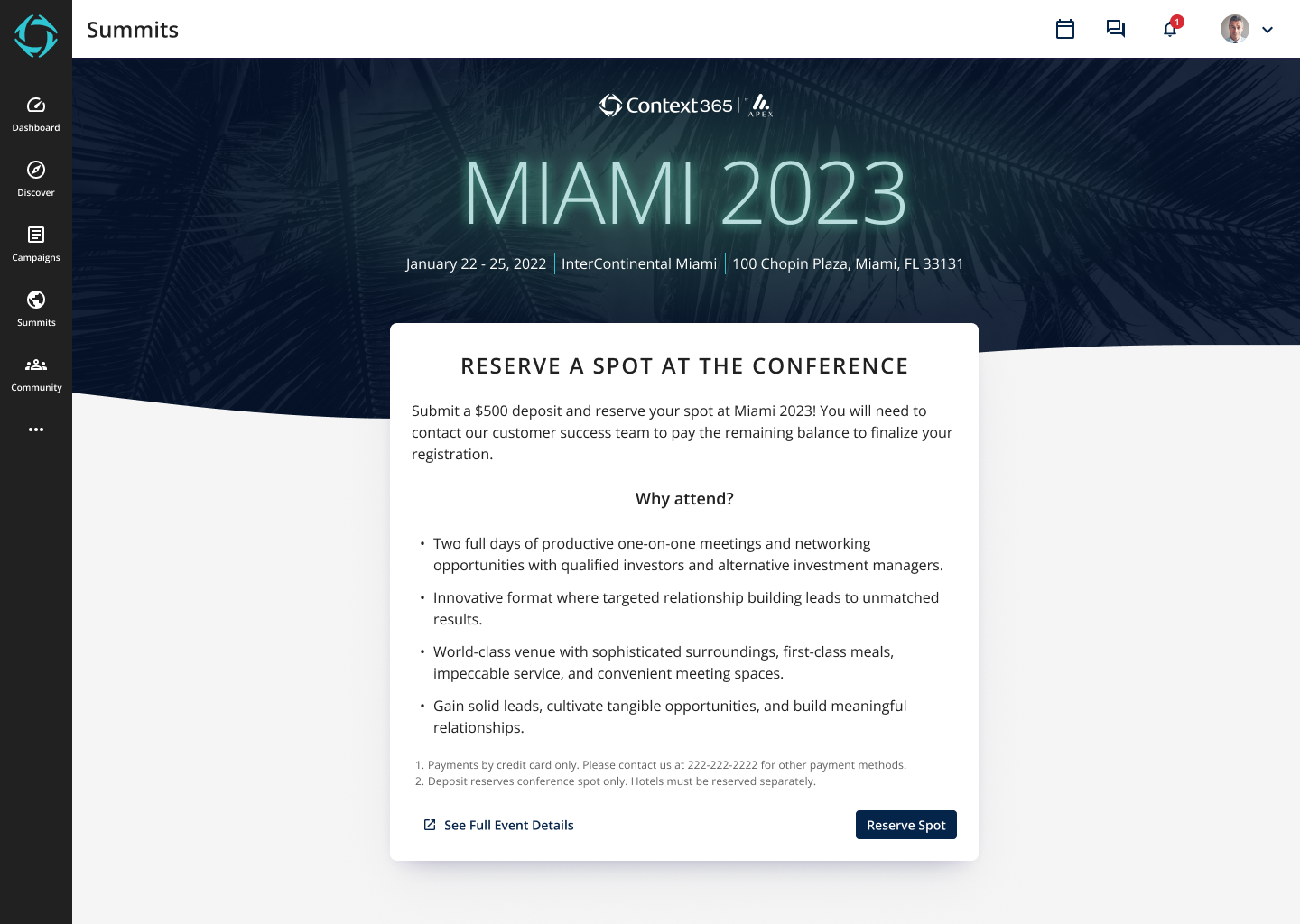
A new feature we wanted to add to the platform was the ability to submit a deposit online to reserve your spot to attend our yearly summit in Miami. Previously we would have people contact us and we would send an invoice in order to collect payment. Accepting deposits online would allow us to provide our users with more of a self service model in which they could solidify their attendance without ever having to contact us.
Once I understood the flow I started creating wireframes and, subsequently, hi-fidelity mockups. Below are the iterations I went through to get to the final design. These iterations were made after check ins and feedback sessions with other designers on the team.
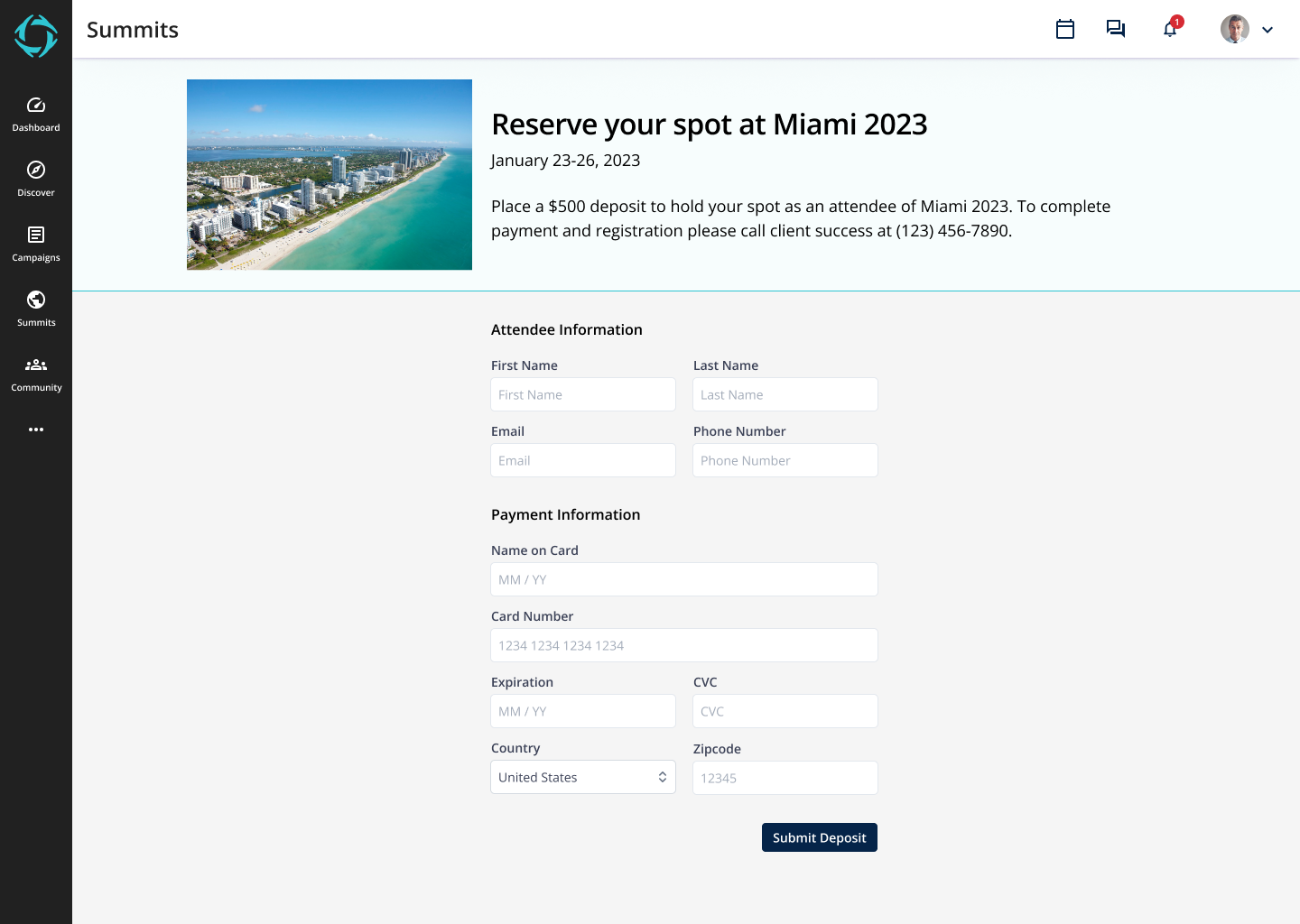
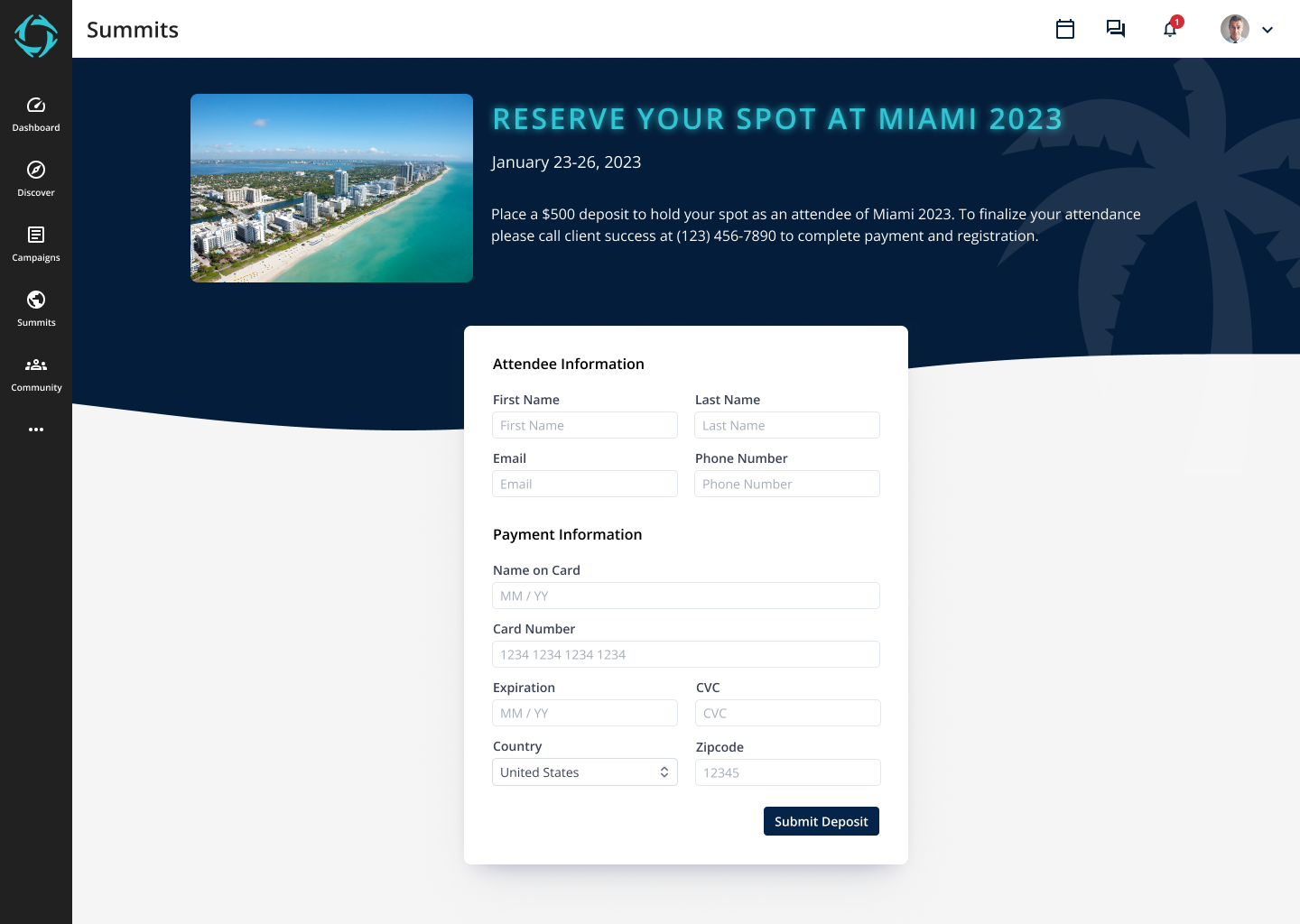
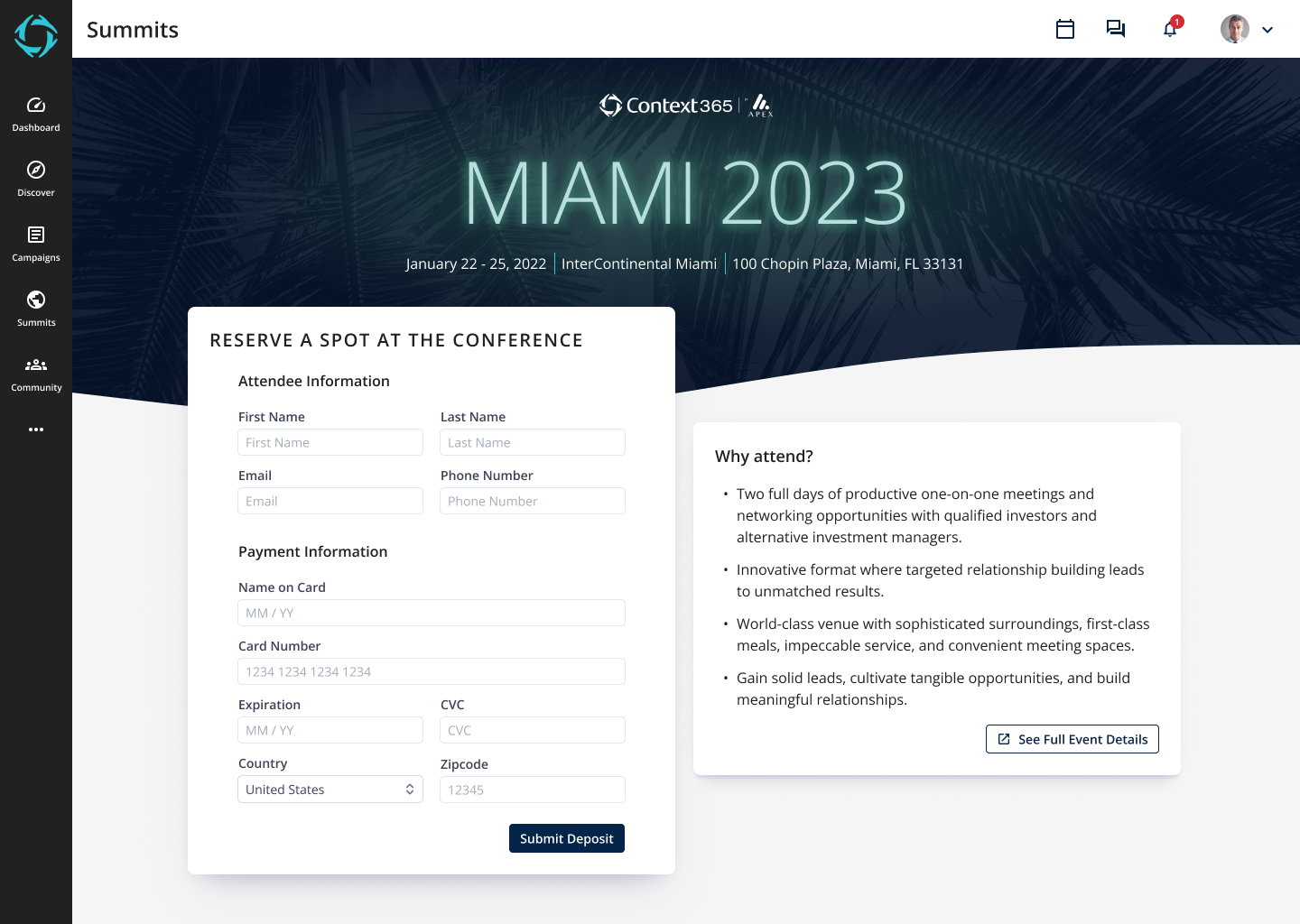
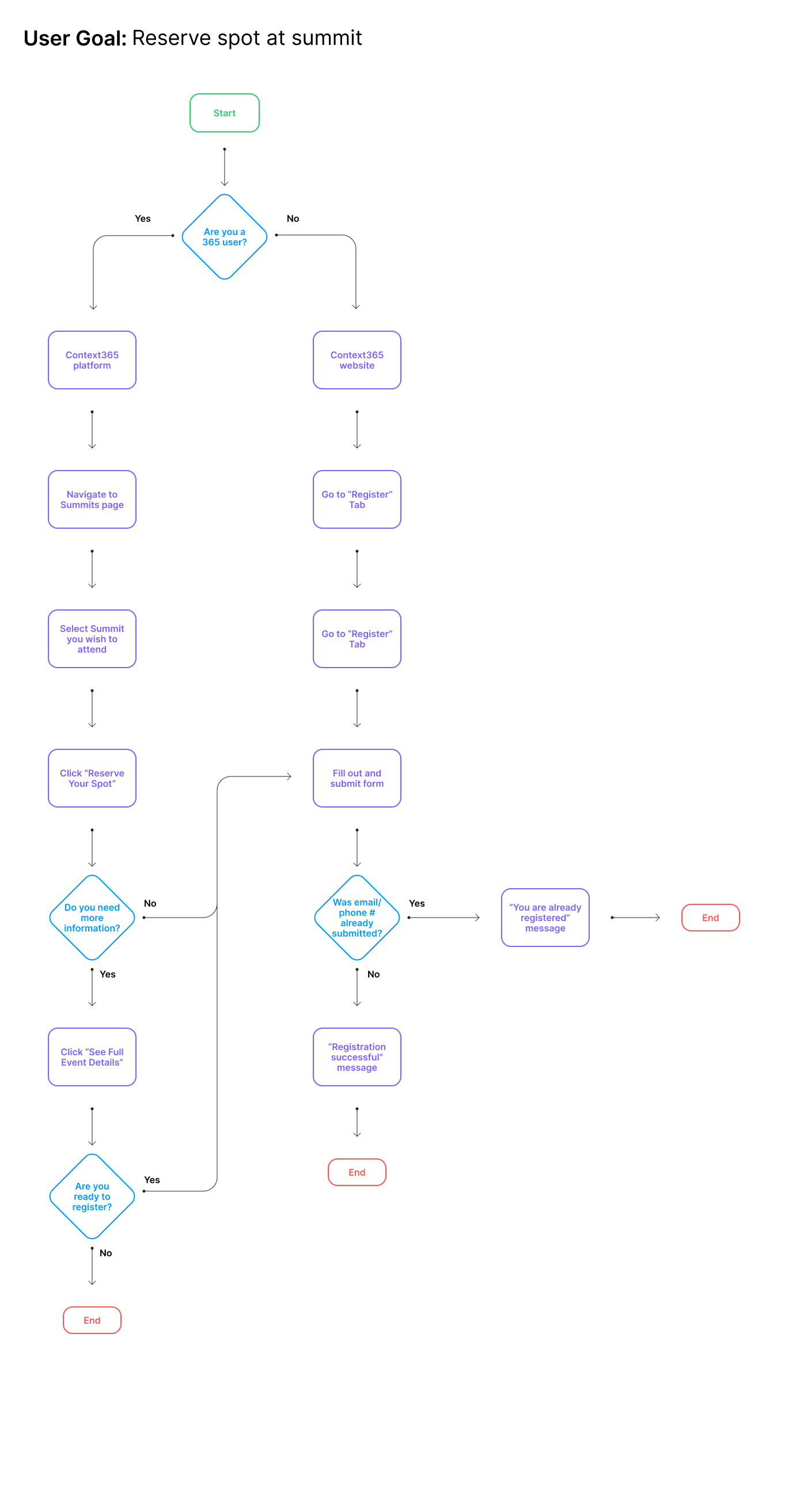
I began by creating a flow chart showing how a user could achieve the goal of registering for our event. There were two main paths: Context365 users could register and submit a deposit through our platform, all other users could go through our event’s website.
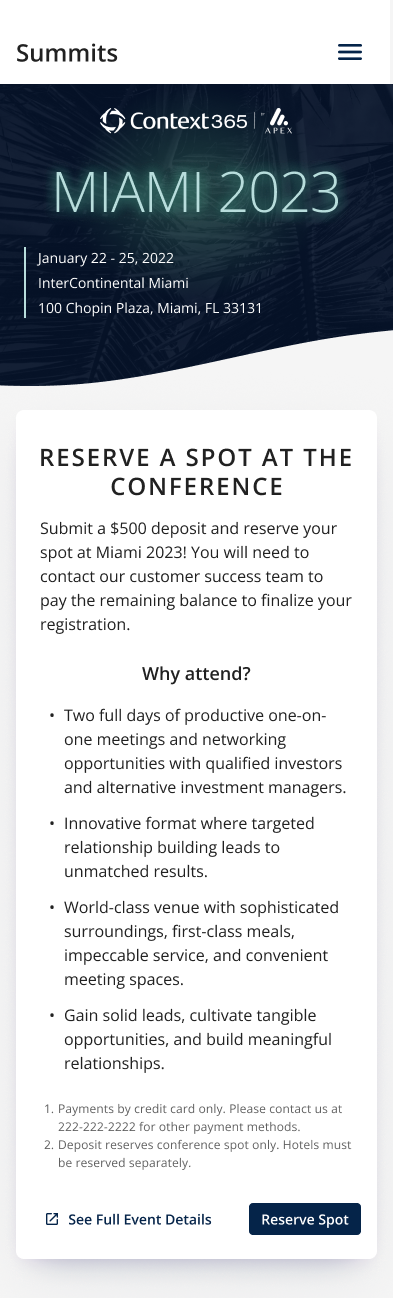
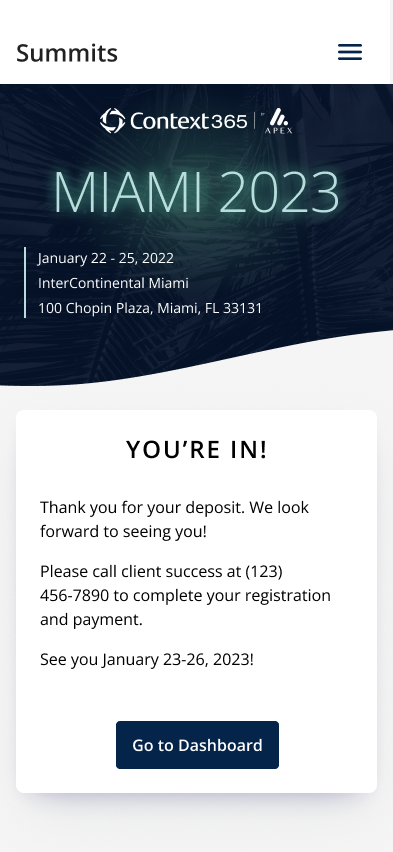
Most of our user base uses our platform via desktop but we’ve been trying hard to make sure our mobile experience is just as usable. I took the time then to translate these designs into a mobile form.
Version 1
Version 2
Version 3
Version 4
Mobile
Flow chart
Feature Design
I started by getting a strong understanding of what the user goals were, as well as their pain points. Unfortunately, we didn’t have the processes to set up interviews with actual users so I made due by talking with our customer success team and reviewing Smartlook session recordings. What I discovered was that the main goal I needed to focus on was simplifying and streamlining the experience. In the end, I was able to reduce the number of tabs into focused sections and neatly lay out the user’s schedule, history, and pending requests.